Set to arrive on December 4, 2025, The Forsaken Hollows expansion will include 2 more Nightfarers including a pair of new boss encounters, and an added Shifting Earth.
Please take a look at the unlock criteria below:
How to Unlock the Nightfarers in Elden Ring Nightreign
First, you need to defeat “Tricephalos” before you are able to unlock some new additional Nightfarers like Undertaker, and Scholar.
After you have successfully defeated Tricephalos, simply have a word with Iron Menial by straightaway moving to Roundtable Hold. Please note that Iron Menial has a message in store from the Small Jar Merchant.
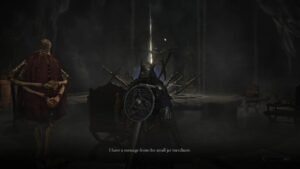
How to Unlock the New Bosses in Elden Ring Nightreign
Please take a look at the following guidelines to unlock the bosses “Balancers” in the DLC “The Forsaken Hollows below:
- The first criteria is that you have to defeat at least 2 bosses in the main Elden Ring Nightreign game that includes “Tricephalos” and another boss
- The second criteria is that you need to make your added Nightfarers Undertaker, and Scholar playable
- Now, after you are able to meet the above conditions, simply go to the chapel which you find opening up just behind Small Jar Merchant
Once you are able to complete the above task, the next step will be to challenge thw ‘The Great Hollows’ that are known as cataclysmic Shifting Earth event, along with the boss expedition for the Balancers
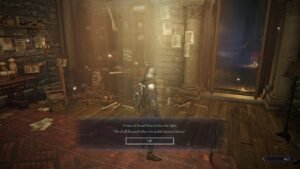
After the expected release, an upcoming update will ensure that Deep of Night includes the Shifting Earth, raid events, and bases from the DLC, even when you venture out on core game expeditions.
Please be aware that DLC-exclusive elements will show up in Deep of Night only when your matchmaking group includes three other DLC owners.
How to Activate the DLC Across All Platforms
PS5 & PS4
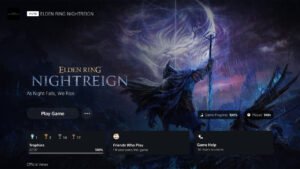
In case, you have already bought the DLC via your Seeker’s Edition, Collector’s Edition, Deluxe Edition, or else, you have pre-ordered in being a Deluxe Upgrade pack, you need to undergo a manual download
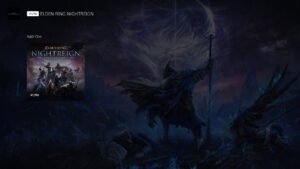
Again, when you arrive at the Playstation Sore, you need tosimply search for some specific keywords like “nightreign” so that you are able to search and select “ELDEN RING NIGHTREIG The Forsaken Hollows PS4 & PS5″. Once you comkplete this step, you can finally move ahead to download it.
Xbox Series X|S & Xbox One
You have to go through the process of manual download if you purchased the DLC through a Deluxe Edition or pre-order.
For that you need to look at the ELDEN RING NIGHTREIGN icon which can be found just after the release date
Players using Xbox Series S/X or Xbox One can access a download option through their owned titles library
Now, please adhere to the following guidelines before you proceed further:
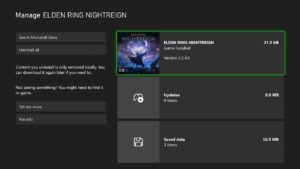
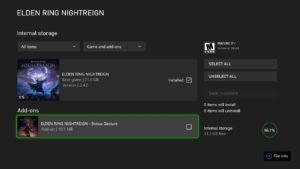
- First, you need to select th My Games & Apps given on the home screen
- Next, you need to continue to hover the ELDEN RING NIGHTREIGN game icon and then press Menu button.
- Next, select “Manage Games & Add-ons, and then select the title that displays the game icon displaying the
main ELDEN RING NIGHTREIGN game - Spot the box present next to DLC that you wish to add. Finally, seelct “Save Changes,” before you go ahead with the process of installation
You can also refer to the following link in case you encounter any issues. So, check the below given reference:
Xbox Support Help Page: Where to Find Games and Downloadable Content
https://support.xbox.com/ja-JP/help/games-apps/my-games-apps/view-downloadable-content
Steam
On December 4, 2025, The Forsaken Hollows DLC will begin auto-downloading at 8:00 AM JST / 0:00 UTC
To access the DLC, make sure to download Update File 1.03, which will be available on December 3, 2025.
We look forward to seeing you enjoy ELDEN RING NIGHTREIGN for a long time to
Fans can look forward to playing ELDEN RING NIGHTREIGN on Xbox One, PS4, PC, Xbox Series X|S, and PS5 consoles.
Also Read: Elden Ring Nightreign Statistics Show Fewer Than Half Have Conquered Every Nightlord Before DLC
Author

Vipul has a vast experience in creating valuable content to websites of different niches. He has special liking to write inside stories while covering news related to gaming and other entertainment topics.